Optimum
Online Trade-Off simulator - which offer wins the preference?

Optimum is the online version of our Trade-Off simulator. It relies on the individual utilities estimated in your Trade-Off (conjoint analysis) study: describe the competing products and immediately read the shares of choice, for the total sample and by target group. Running a simulation means describing the market as it could be - and measuring which offer wins the preference. And when it comes to building the best offer, the levers and the solver search for you.
What Optimum does
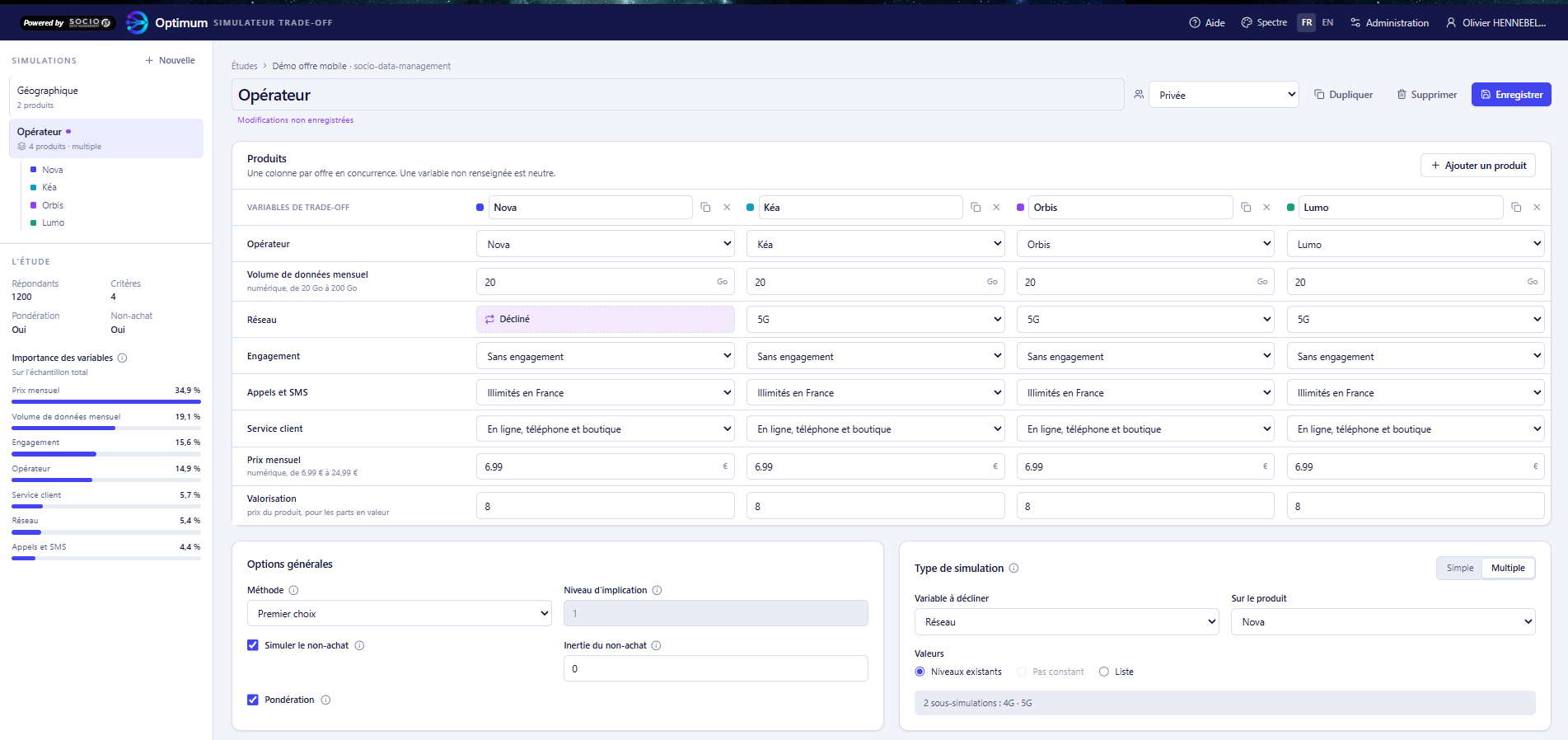
A product matrix
One column per competing offer: add, duplicate, edit. Numeric attributes (price, warranty…) accept intermediate values, interpolated between the studied levels.
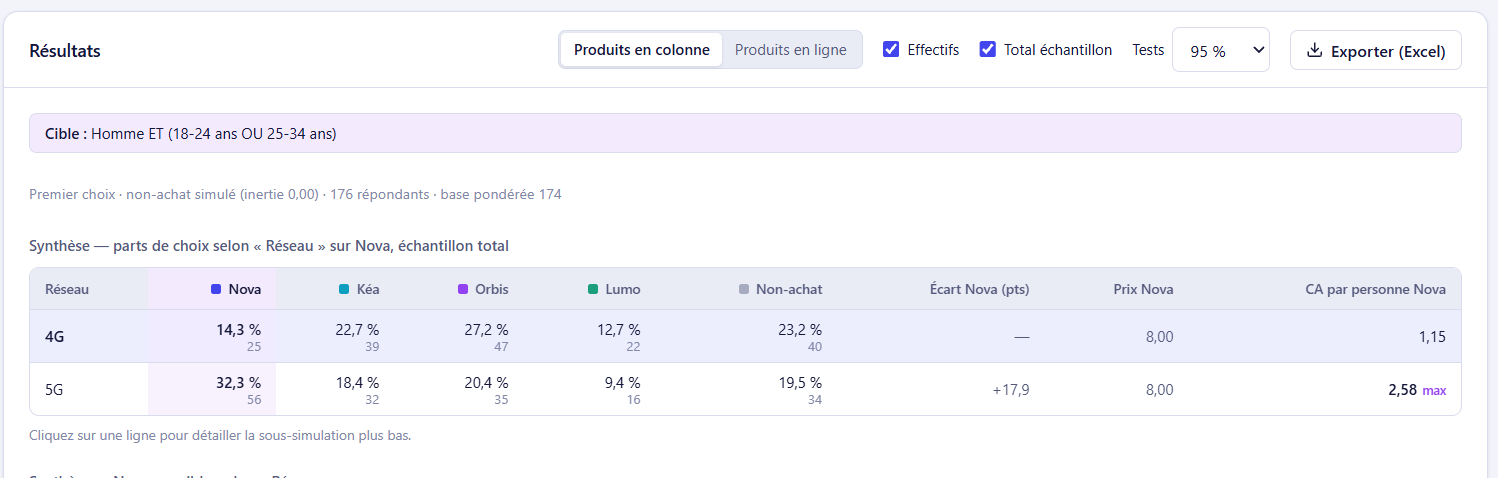
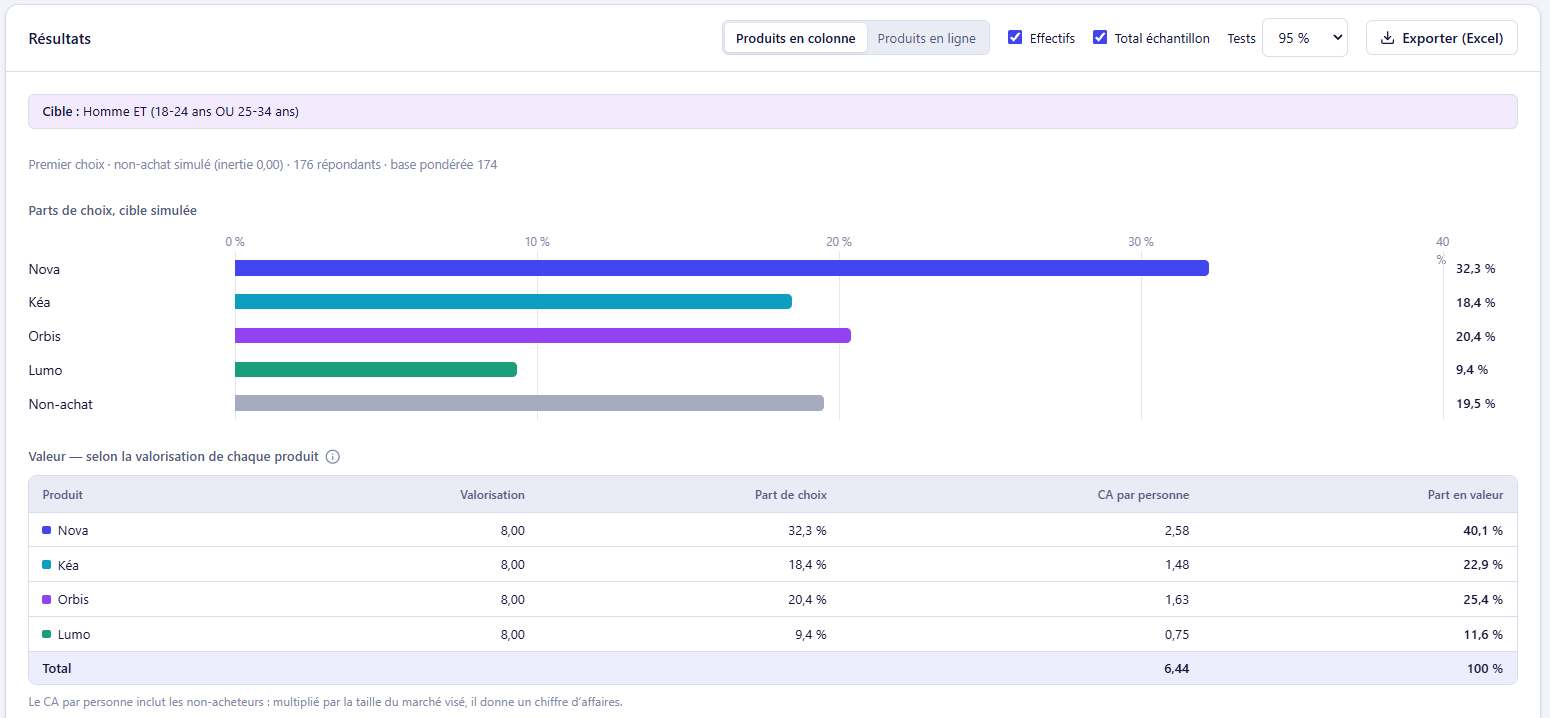
Instant shares of choice
First-choice method or share of preference (logit) with an adjustable involvement level. Results are recomputed on every change.
No-purchase and weighting
Simulate market exit with a configurable no-purchase inertia, and apply the study weighting or not.
Tariff and value readings
When the study includes a tariff attribute, each tier carries its amount: the Value block gives every product its tariff, its revenue per person (share × tariff, non-buyers included) and its value share. Multiplied by the target market size, revenue per person gives revenue. Without a tariff attribute, a Valuation row lets you enter each product's price.
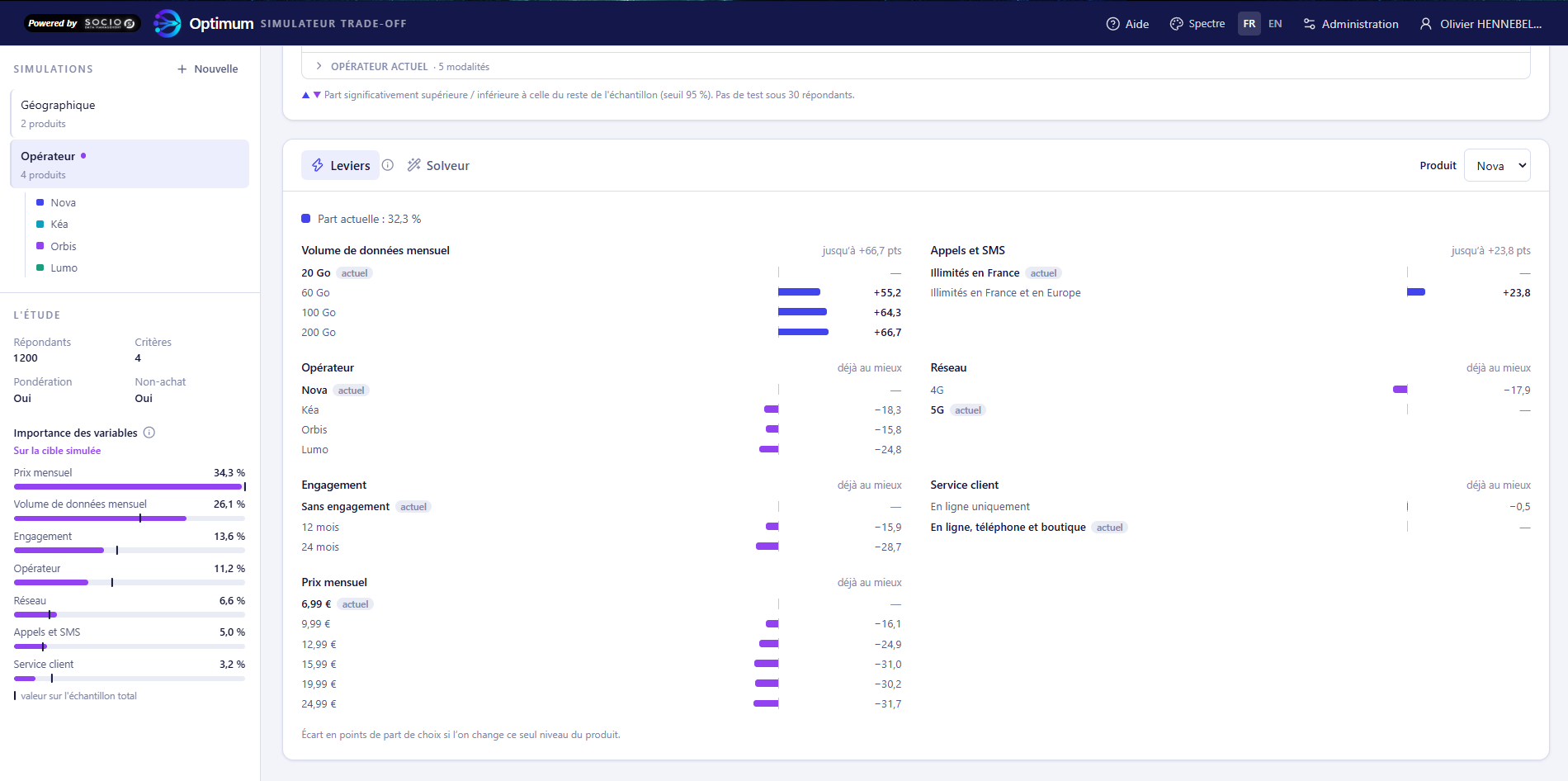
Product levers
For the selected product, the gain or loss in share of choice that each other level of each attribute would bring, all else being equal. Attributes are ranked by possible gain: the first one is where to act first.
Solver
The solver varies several attributes at once and returns the ten best level combinations for the product, maximising share of choice or revenue. Lock the attributes that are not negotiable, run the search, apply the chosen combination in one click.
Multiple simulations
Vary one attribute of a product - a price, a warranty - and follow the shares of choice on a curve, up to 60 sub-simulations.
Advanced target editor
Restrict a simulation to a composed population: AND between criteria, OR between categories, OR between several groups - "(Male AND 18-34) OR (Female AND 18-49)". Each target can be saved to the study library and reused from one simulation to the next.
Results by target group
Cross-tables by criterion with significance tests at 90% or 95%, weighted bases when weighted, and Excel export.
Attribute importance
The weight of each attribute in respondents' choices, regardless of the simulated products, as a percentage. Computed on the simulated target, with a marker for the total-sample value: you see what weighs more, or less, in the target.
Secure and collaborative
Private simulations or shared with your organization. Individual utilities never leave the server; each client only sees its own studies.
Tool preview

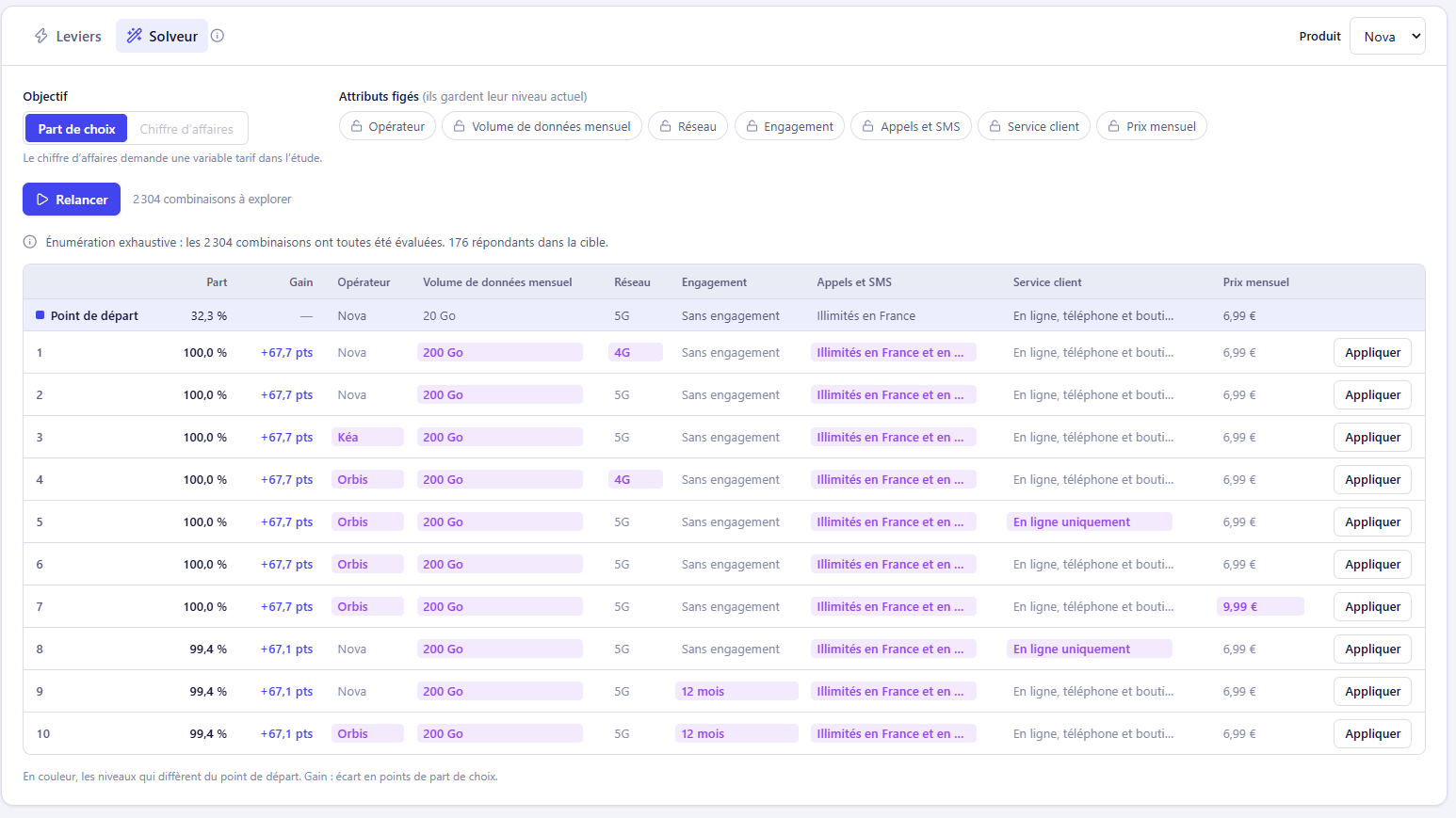
Simulate your market with Optimum
Log in to Optimum.
Access the solutionContact us for a demo on your own Trade-Off study.
Contact us